































Brave Containers have arrived. The new feature in version 1.92 brings built-in Containers to Brave’s desktop browser. As a result, you can keep multiple accounts of the same site open at once without their cookies colliding. Each color-coded tab keeps its own logins and storage, so a “Personal” tab and a “Work” tab of the same service stay separate.
The rollout began July 2, 2026 with the 1.92.134 release, though Brave is pushing it in phases. Brave confirmed the staged rollout on its official account.
Update Brave on desktop to v1.92 to get started with Containers. Note that this feature is being rolled out in phases over a few days, so if you don’t see it yet, don’t worry — it’s coming!
— Brave Software (@brave) July 2, 2026
How Containers work
Each Container is a separate browsing environment with its own cookie jar and storage. You open a new Container tab from the right-click menu, and each container gets its own color and label. The same email provider or social network can run side by side in two containers, with neither session leaking into the other.
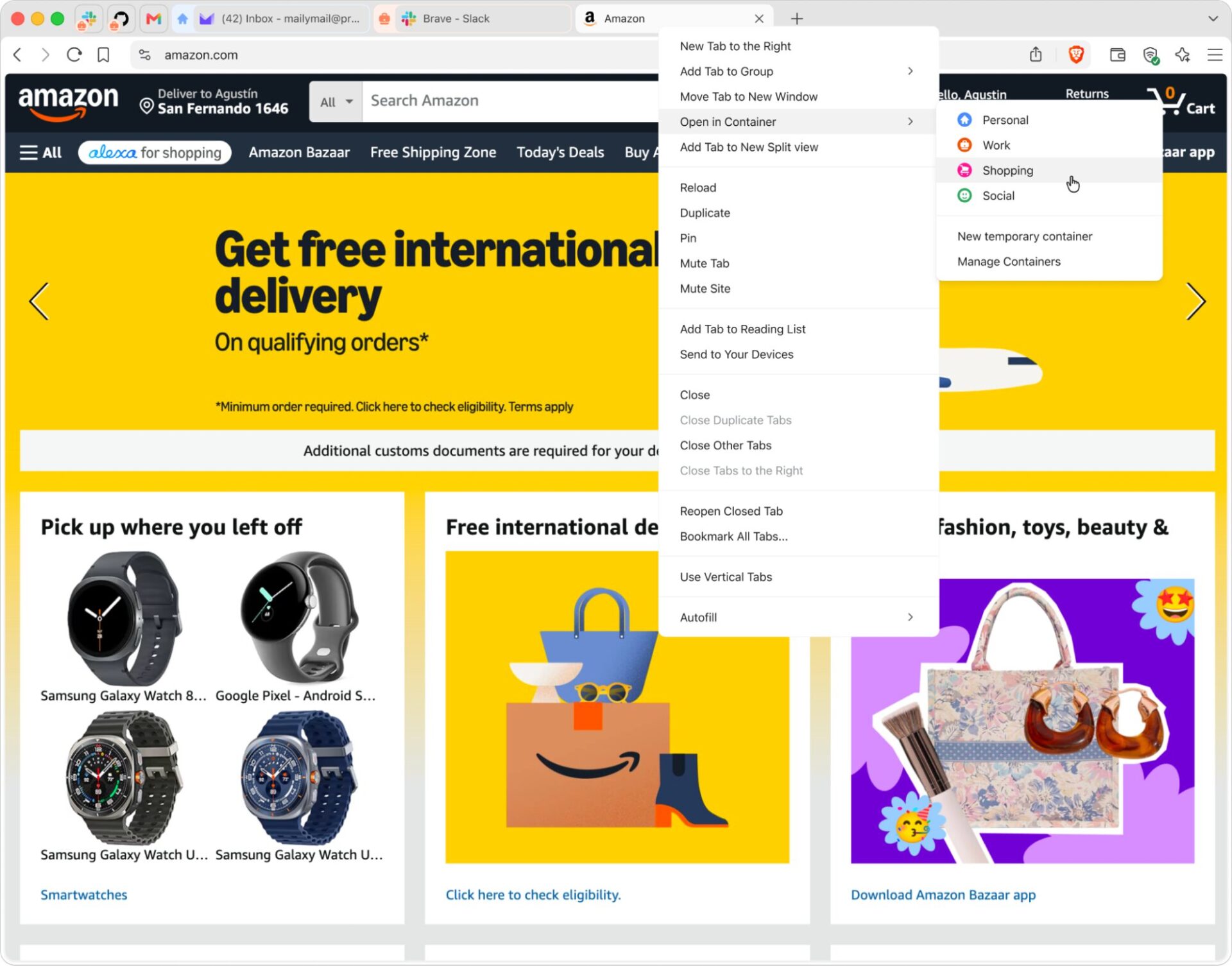
Image: Brave.
The feature shines for people who live in more than one account at once. For example, Brave shows two Proton Mail inboxes and a Slack tab running in separate Containers at the same time, each color-coded for quick identification.

Image: Brave.
What’s actually new
The distinction matters. Brave has done behind-the-scenes storage isolation for some time, quietly limiting how trackers follow you across sites. Containers work differently: they carve the browser into named compartments you control. You decide which tabs belong to which container, and nothing crosses between them unless you move it.
To turn the feature on, go to Settings and click Enable Containers. Brave lists four default containers — Personal, Work, Social, and School — and you can open any of them from a right-click.
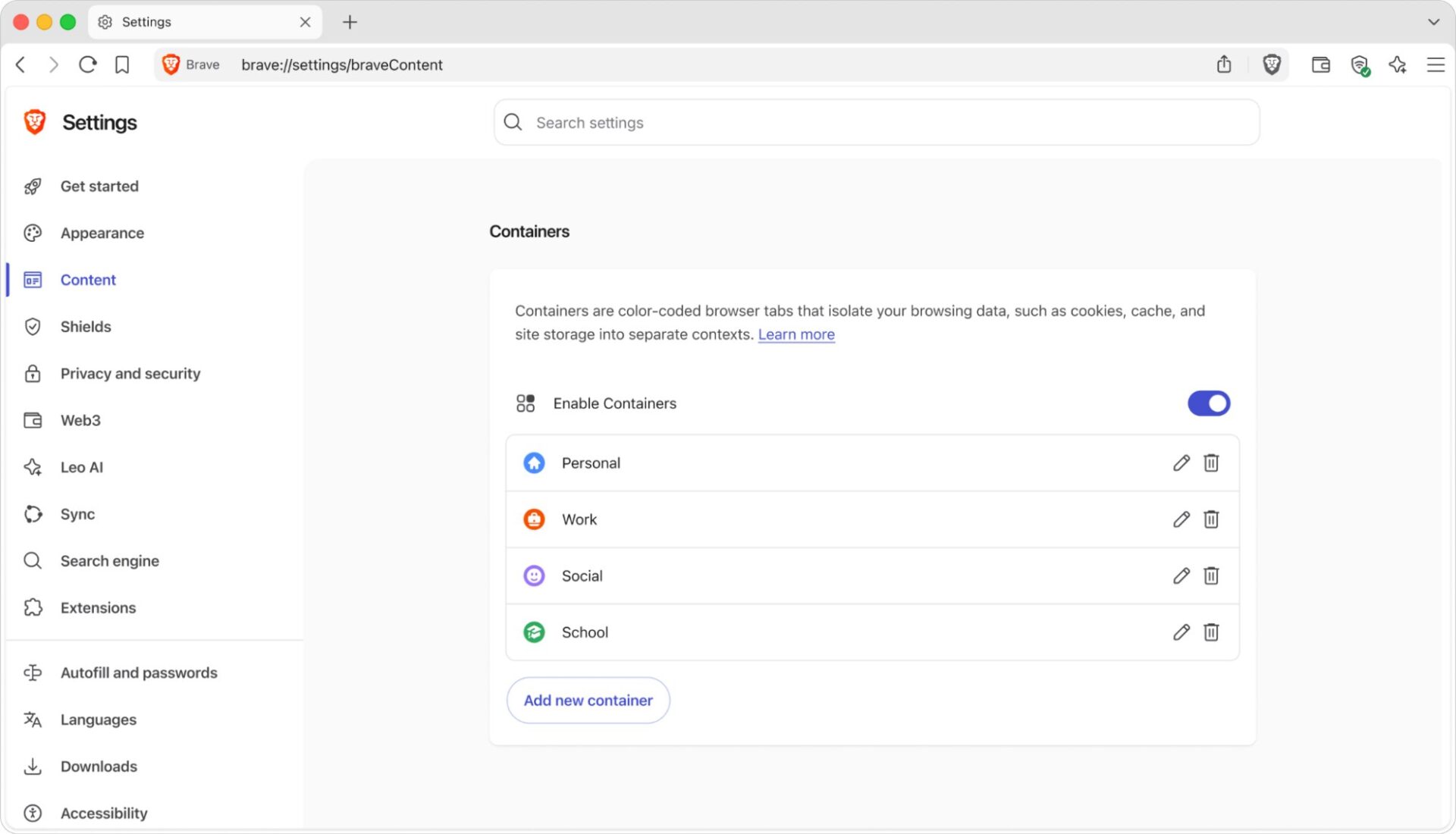
Image: Brave.
Containers add a visible, user-controlled layer on top of that protection. That continues Brave’s push to stand apart from other Chromium browsers on user control. In the split-view below, the same X account runs in two Containers at once, with no conflict between them.
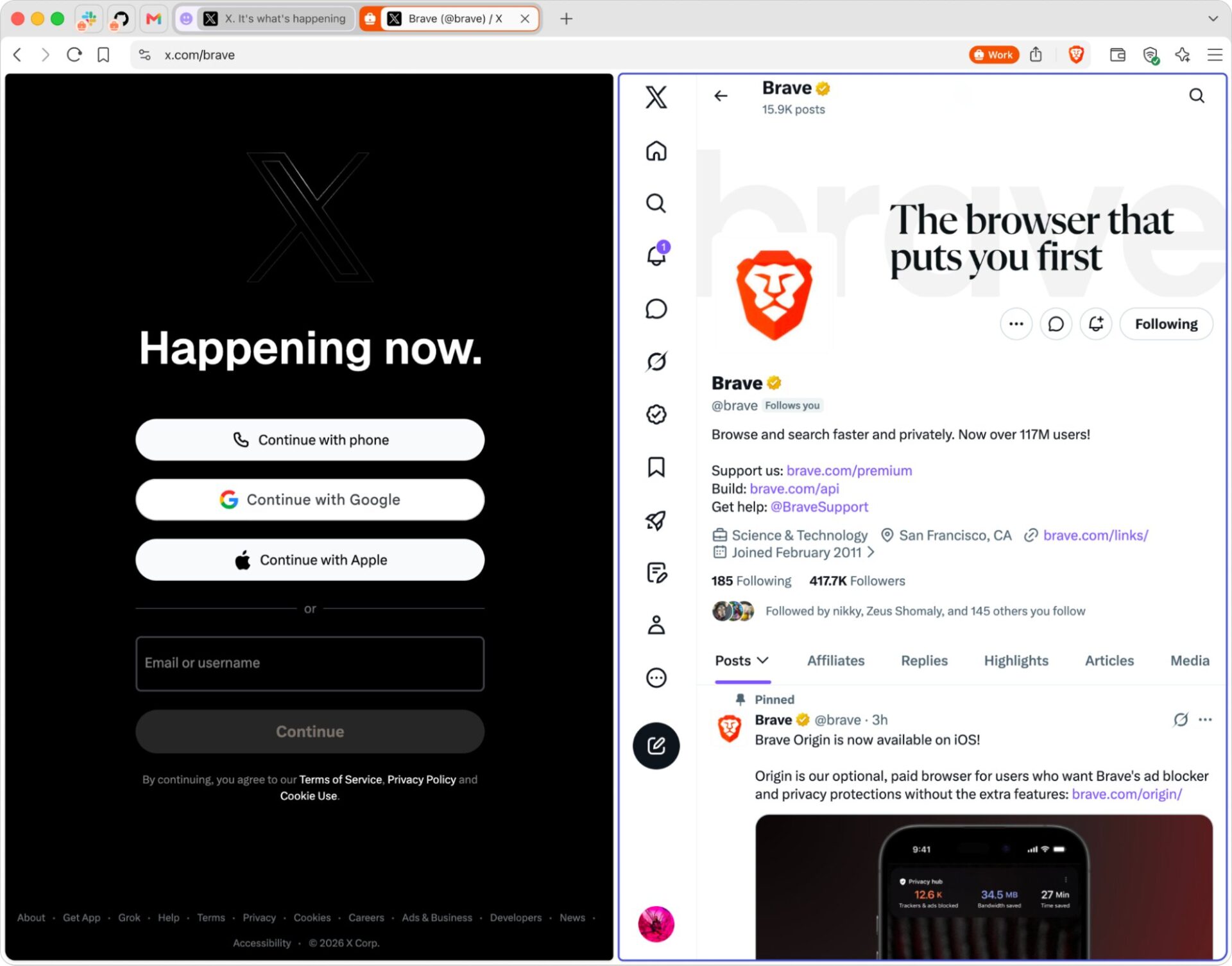
Image: Brave.
Why it matters
Firefox has offered its popular Multi-Account Containers extension for years. Containers on a Chromium-based browser are far less common, which makes Brave’s move notable for desktop users. The company has tracked the feature publicly under issue #46349 on GitHub.
For users who live in multiple accounts, Containers remove the old workaround of running a second browser just to stay logged in twice. That covers developers testing logins, community managers handling several brands, and anyone separating work from personal life. It is a small change that quietly improves daily browsing, much like the shift we have seen as rivals like Firefox rethink the browser.
Availability
Containers are desktop-only for now, available on Windows, macOS, and Linux in Brave 1.92. The phased rollout means not every user will see the feature immediately. It will reach the full desktop audience over the coming days. Brave has not yet detailed plans for mobile.